FluentAI – AI-Powered Dual-Subtitle Language Learning Extension
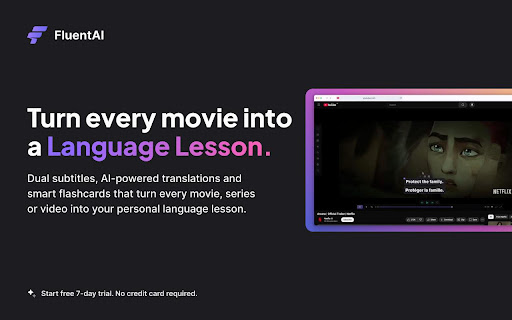
FluentAI turns movies and videos into interactive language lessons. It overlays dual subtitles (original + translation) on Netflix, YouTube, Disney+, and other platforms, so you read and learn simultaneously. Every word is clickable: instant translations, definitions, example sentences, and grammar analysis appear in a popup just like a built-in dictionary. This immersive approach follows the trend of other tools (e.g., Language Reactor, Lingopie) that emphasize “Netflix dual subtitles” and interactive vocabulary. FluentAI goes further by using AI to support all languages (no hard-coded list) and syncing subtitles precisely with the audio.
Key Features:
* Dual Bilingual Subtitles: Works on Netflix, YouTube, Disney+, HBO Max, etc., showing original and translated subtitles together. Instantly look up any subtitle word (click or tap) to get translations, pronunciation, and usage examples.
* AI-Powered Translation & Grammar: Unlike simple subtitle-only tools, FluentAI uses AI to translate any language and analyze grammar. Clicking a word also reveals grammar notes and contextual explanations (similar to Lingopie’s AI grammar feature). Sentence breakdowns and AI grammar help make even complex lines easy to understand.
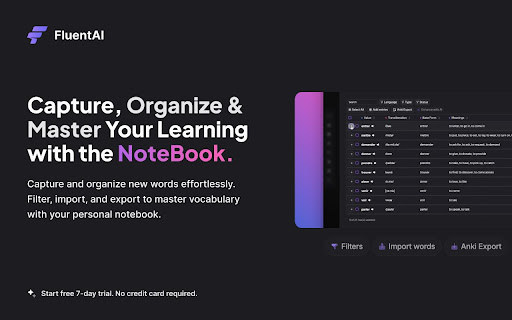
* Integrated Vocabulary Notebook & Flashcards: Save words or entire phrases with one click. FluentAI automatically creates smart flashcards (with audio and example sentences) and lets you export them (e.g., to Anki). A built-in notebook organizes saved words with filters and tracks which words you’ve learned (feature-comparable to Migaku’s flashcard system).
* Custom Playback Modes: Learning modes like Pause Mode (auto-pause on new words), Voice-Repeat Mode (listen and repeat with AI voice), and Resume Mode help match the video to your study pace. There’s even speed-control and looping to focus on tricky phrases.
* Customizable Subtitle Display: Adjust subtitle font, color, size, position, opacity, and background blur. Support for lifelike text-to-speech means FluentAI can read any subtitle out loud in a natural voice – handy for pronunciation practice.
* Full-Length, Multi-Language Support: Thanks to AI, FluentAI works on full movies or series in any language, without pre-built subtitle sets. Whether it’s Spanish telenovelas or Korean dramas, FluentAI generates dual subtitles on-the-fly. (Competitor tools like Trancy support many sites and languages, and FluentAI matches that flexibility.)
* Progress Tracking & Statistics: FluentAI keeps statistics on your learning – how many words you’ve saved, practiced, or mastered. Use these analytics to see your improvement over time (a feature missing in basic subtitle extensions).
Comparison with Other Extensions:
FluentAI includes all the core tools of the popular language-learning players and adds extra AI enhancements:
* Language Reactor (a.k.a. “Language Learning with Netflix”): Offers dual subtitles on Netflix plus a popup dictionary. FluentAI matches these (covering Netflix and much more) and adds AI-synced subtitles and interactive word analysis on YouTube, Disney+, etc.
* Lingopie: Provides smooth bilingual subtitles and clickable word lookups with AI grammar help. FluentAI offers the same instant translation and grammar insights on subtitles, but extends them to all streaming/video sites and languages.
* Migaku: Known for its powerful flashcard creation and tracking. FluentAI likewise lets you create flashcards from any video subtitle and export decks (e.g., to Anki), while also providing more playback-learning modes.
* Trancy: Supports bilingual subs on YouTube/Netflix and has AI text translation for web content. FluentAI’s focus is on video, but it also handles any site text. On videos, FluentAI provides similar bilingual subtitles plus advanced modes (pause, voice-repeat) not found in Trancy.
By combining these features, FluentAI becomes a one-stop solution: Netflix dual subtitles, YouTube dual subtitles, plus interactive word definitions, grammar breakdowns, example sentences, and smart flashcard tools – all in one extension.
Try, you’ll like it.