
Gmail Checker & Gmail Notifier - gmail account checker
Description

Reviews (11 cached)
Doesn't work. Like other, I only see an "E".
It didn't work for me. Like other reviewers said here, I only see an "E" on the icon and there are no "alerts" or "notifications" of any kind that pop up when I get new emails making this useless to me. I'm guessing this extension doesn't work with the latest version of Chrome because the only good reviews here are from back in 2023. I tried this extension because I was hoping to replace another extension called X-Notifier which also recently stopped working and I really loved having that one because it played a custom sound whenever I got an email. The search continues...
E for Error, not working
The icon shows an "E" letter instead of number of unread emails.
Another refugee here after that other gmail checker kicked me out... Here, I get this: Unexpected Error: saveUser is not defined. This is all this extension is doing.
Immediately after I added this extension, Gmail blocked me, because it noticed some suspicious, maybe malware activity. I restored the system, cleaned the computer (Avast) - it was all the same. However, other Gmail accounts looked safe for the Gmail security system. Maybe, the programmer is hacker; maybe, the security system is crazy; maybe, the programmer is unreliable; maybe, it was a combination of some reasons, but I cannot use this account anymore.
Just shows "E" and will not update. Basically just a shortcut to Gmail with no mail count value
I get an "Unexpected error: saveUser not defined" message. Instead of the email count, I see an "E" (from error???) Notification does not work either.
bh
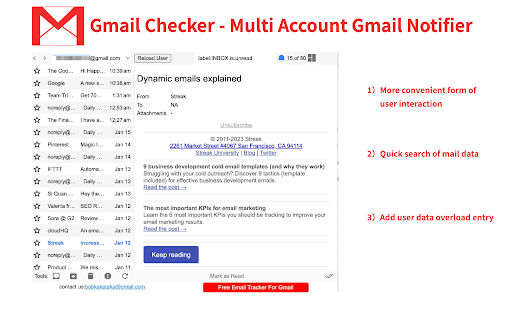
Wow, huge ad at the bottom for "contact" and "Free Email Tracker for Gmail" ? Not cool!
Awesome!!! Word!
Permissions (7)
Permissions
Details
| Version | 1.2.5 |
| Updated | Apr 9, 2025 |
| Size | 2.74MiB |
| First Seen | Mar 25, 2026 |
More by social_analyzer



Popular in workflow




Popular Extensions


