
Description


Reviews (8 cached)
Its DEAD and mostly NOT WORKING....
limited to 1000 characters - so basically useless
Maximum limit to count is 1000 and very slow work
this extension no longer works
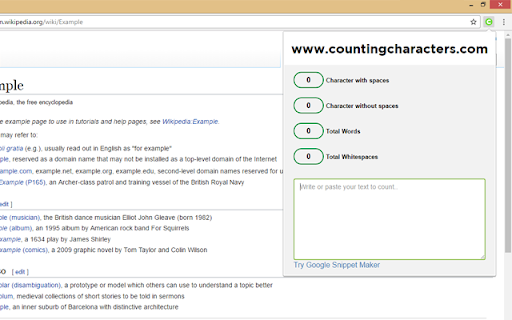
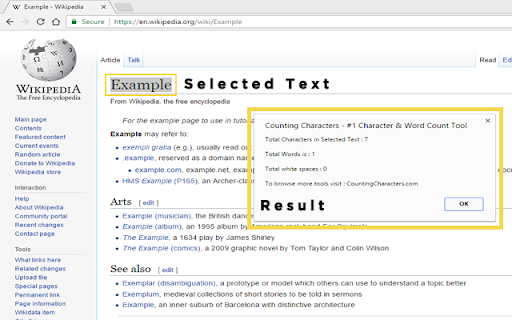
Yet another context menu accessed counter. This one requires a right click, going to the tab, and then a left click. Cumbersome.. There are others that do it easier. It has the additional feature of counting white spaces.
Picks up double-dashes as "words," artificially inflating word count (though I'm having trouble finding an extension that doesn't fail this crucial test!). Can count the whole page or what you paste into its box, but won't just count the words in a highlighted section (ADD THIS CAPABILITY, srsly). Visually a bit, um, amateurish, in terms of the colored buttons below the interface; kinda an eyesore, reminds me of bad website design. Has a 1000-char limit, and if it had been up front about that limitation then I would likely not have installed it in the first place -- always indicate whether basic functionality is behind a paywall, so users can make informed decisions about whether to install your software!
I really need to this extension doesn't loose entered text while I accidentally click somewhere on website and close the extension windows :( Please fix it!
Thanks for the reply. Still kind of sketched out by the new permissions. Maybe make that something that can be enabled/disabled by the user? _______ Update: This WAS a super awesome tool, until it asked for permission to view my browsing history. There is no good reason for a word counter to access my browsing history. It's a bummer, but I will not be using this anymore. _______ I teach online. My students have weekly discussion posts that need to be above a certain word count. I've been eyeballing post length and copy+pasting ones that "look short" into Word for years. (I grade ~400 discussion posts per week.) THIS IS SO MUCH EASIER!! I am really kicking myself for not searching for a word count extension sooner.
Permissions (5)
Permissions
Details
| Version | 1.1.8 |
| Updated | Aug 25, 2025 |
| Size | 270KiB |
| First Seen | Mar 28, 2026 |
Popular in accessibility





Popular Extensions


