
ChatGPT Chrome Extension - Silly Ai
v2.2.6 Updated Jul 1, 2023 332KiB
⚠️Not updated in over 2 years
Description
👋 Say hello to Silly AI's ChatGPT Chrome Extension, your new writing partner! Designed to simplify and elevate your writing process, this extension is as feather-light and unobtrusive as they come. No more cluttered workspace - we're all about a seamless, widget-free experience. 🚫💻
This easy-to-use tool is supercharged by ChatGPT and is operational on practically any website. Need to jot down a comment, draft an email, create social media content, or even fill out a job application? 📝 Silly AI's ChatGPT extension has got you covered.
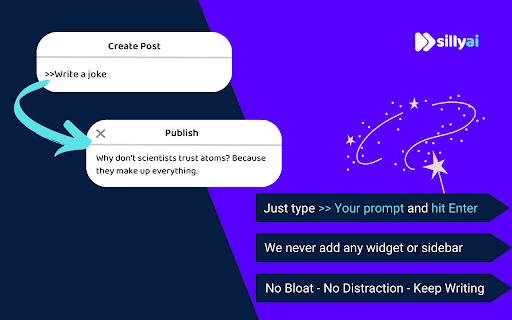
Just write it with a '>>' symbol then your prompt and hit Enter or Return key(⏎) on your keyboard.
Example👉 >>write a joke ⏎
and sit back to watch the AI do its magic! 🪄✨
Our promise to you is an uninterrupted writing process. Forget about copy-pasting or unnecessary clicking - Silly AI is all about maintaining your writing flow. 🌊 This extension works on almost all websites, from Google Docs to spreadsheets, bringing AI efficiency to your fingertips.👌
But Silly AI's ChatGPT extension isn't just about writing. You can rewrite, summarize, translate, explain, and even reply to texts anywhere, all with a single command. 📚🌍 And guess what? No ChatGPT (OpenAI) account is required! Plus, you get 20000 free tokens every month for your daily tasks. 🎉
What's more, Silly AI's ChatGPT extension delivers consistently high speed and quality for all users, free or premium. Choose your preferred AI - OpenAI's Chat GPT, Google's BARD, or our unique hybrid API for diverse content. 🚀
Add a personal touch to your writing by setting the tone, verbosity, or creativity per site - make it professional for LinkedIn, casual for Twitter, or extra creative for Google Docs. 🕴️💃🎨 Silly AI remembers your preferences, so you only have to set it once.
Remembering complex commands or shortcuts is a thing of the past. 📜 With Silly AI's ChatGPT extension, just type '>>', your prompt, and hit Enter. Want to give your AI assistant a unique name? Go right ahead! 🎈
Your experience with Silly AI's ChatGPT extension is just like using ChatGPT, but without the need to visit a separate site. Pay the same amount and recharge tokens as needed, with an easy-to-track system right within your browser. Plus, we're all about privacy. 🔒 Your prompts and writing history are saved locally and deleted once you refresh the page.
So, ready for a smoother, more efficient writing experience? 👍
1. Click "Add to Chrome" at the top-right corner. 🖱️
2. Refresh your open tabs to activate the extension. 🔄
3. Type '>>' followed by your prompt and hit Enter. ⌨️
Welcome to the future of writing with Silly AI’s ChatGPT Chrome Extension. Your words, our magic. 🌈🖊️


Reviews
Loading reviews...
Permissions (3)
Permissions
activeTabℹ Can access the current tab when you click the extension identityℹ Can use your Google account identity storageℹ Can store data locally in your browser
Details
| Version | 2.2.6 |
| Updated | Jul 1, 2023 |
| Size | 332KiB |
| First Seen | Mar 25, 2026 |
Popular in workflow

Adobe Acrobat: PDF edit, convert, sign tools
by Adobe Inc.
331M
★ 4.40
workflow
331M
★ 4.40
workflow

Chrome Remote Desktop
by Chrome Remote Desktop Release Managers
38M
★ 3.14
workflow
38M
★ 3.14
workflow

Microsoft Single Sign On
by Microsoft
36M
★ 2.27
workflow
36M
★ 2.27
workflow

MetaMask
by metamask
13M
★ 2.68
workflow
13M
★ 2.68
workflow

Microsoft Power Automate
by Microsoft Corporation
10M
★ 1.99
workflow
10M
★ 1.99
workflow
Popular Extensions
Adobe Acrobat: PDF edit, convert, sign tools
by Adobe Inc.
331M
★ 4.40
workflow
331M
★ 4.40
workflow
Chrome Remote Desktop
by Chrome Remote Desktop Release Managers
38M
★ 3.14
workflow
38M
★ 3.14
workflow
Microsoft Single Sign On
by Microsoft
36M
★ 2.27
workflow
36M
★ 2.27
workflow

Cisco Webex Extension
by cisco.chromestore
24M
★ 2.34
social
24M
★ 2.34
social

Kami for Google Chrome™
by Kami
19M
★ 4.56
education
19M
★ 4.56
education