
✅Recently updated
Description
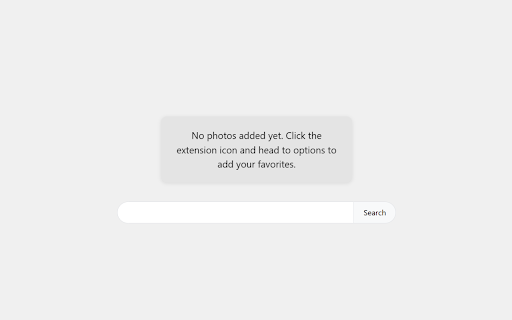
Transform your new tab experience with Iris - a personal photo gallery that displays your cherished photos every time you open a new tab.
Key Features:
• Display random photos from your collection on each new tab
• Easily add and remove photos through the extension's options page
• Change photo button to view a different random image instantly
• Simple, clean interface focused on your photos
Important Notes:
• Chrome's local storage limit is strictly 10MB - make sure you do not exceed this as it will cause unpredictable problems or lag. The extension currently does not check your total gallery size for you.
• To maximize the number of photos you can add, you can minimize file sizes using ImageOptim (https://imageoptim.com/online)
• After optimization, you can typically store 30-50 photos (depending on file sizes)
• Note that the search bar will use your default search engine, even though the UI may display 'Search Google' or similar text
How to Use:
1. Install the extension
2. Access the options page:
- Click the puzzle piece icon in your Chrome toolbar
- Find Iris in the extensions list
- Click the three dots (⋮) next to the extension
- Select "Options" from the menu
3. Add your photos through the options page
4. Enjoy your personal photos on every new tab!
Your photos stay completely private and are stored locally in your browser.
Potential Future Plans:
• Cloud storage support for larger photo collections
• Total gallery size monitoring
• Additional customization options


Reviews
Loading reviews...
Permissions (2)
Permissions
search storageℹ Can store data locally in your browser
Details
| Version | 0.0.1 |
| Updated | Mar 7, 2026 |
| Size | 54.44MiB |
| First Seen | Mar 22, 2026 |
Popular in fun

Custom Cursor for Chrome™
by BLife Team LLC
5M
★ 4.67
fun
5M
★ 4.67
fun

Google Meet Enhanced Experience
by niritshlif
1M
★ 3.36
fun
1M
★ 3.36
fun

SuperNova SWF Enabler
by Tactics Technology LLC
400K
★ 2.04
fun
400K
★ 2.04
fun

Custom Cursor Trails
by BLife Team LLC
300K
★ 4.30
fun
300K
★ 4.30
fun

Cursor Style – Custom Mouse Cursors & Trails for Chrome™
by Oleksii Semeniuk
200K
★ 4.79
fun
200K
★ 4.79
fun
Popular Extensions

Adobe Acrobat: PDF edit, convert, sign tools
by Adobe Inc.
330M
★ 4.40
workflow
330M
★ 4.40
workflow

Chrome Remote Desktop
by Chrome Remote Desktop Release Managers
38M
★ 3.14
workflow
38M
★ 3.14
workflow

Cisco Webex Extension
by cisco.chromestore
24M
★ 2.34
social
24M
★ 2.34
social

Kami for Google Chrome™
by Kami
17M
★ 4.56
education
17M
★ 4.56
education

Read&Write for Google Chrome™
by Texthelp
17M
★ 3.44
accessibility
17M
★ 3.44
accessibility