
✅Recently updated
Description
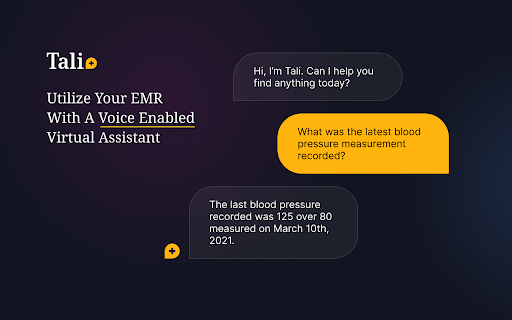
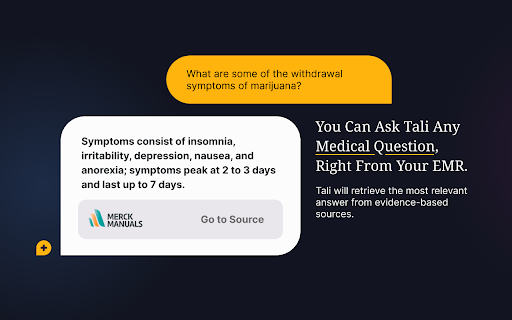
Tali can save up to 20 hours of clinician's time per week. Saving clinicians time and reducing administrative burdens are the foundational goals of Tali. Combining Ambient Scribe, which effortlessly captures and summarizes patient visits, Medical Dictation for accurate voice-to-text processing, and Medical Search for efficient information retrieval. All components are designed for quick installation and compatibility with any EHR system. Begin streamlining your clinical documentation with Tali today.
Here’s how it works:
1. Click “Add to Chrome” to install Tali’s Chrome extension on your browser.
2. Once installed, the Tali widget will appear in the bottom right corner of you screen.
3. Click “Log Into Tali” and log in with Google. You may now access Tali’s dictation and medical search features in the widget.
4. To start dictating notes, select a text area then click the microphone icon.
5. Enable microphone access and speak out loud. Tali will enter these notes directly into the EMR.
Your opinion matters to us. Don’t forget to rate your experience and provide feedback — this will help us continuously improve our services for you.


Reviews
Loading reviews...
Permissions (3)
Permissions
declarativeNetRequestℹ Can block or redirect network requests identityℹ Can use your Google account identity storageℹ Can store data locally in your browser
Details
| Version | 3.110.0 |
| Updated | Mar 27, 2026 |
| Size | 6.94MiB |
| First Seen | Mar 28, 2026 |
Popular in workflow

Adobe Acrobat: PDF edit, convert, sign tools
by Adobe Inc.
331M
★ 4.40
workflow
331M
★ 4.40
workflow

Chrome Remote Desktop
by Chrome Remote Desktop Release Managers
38M
★ 3.14
workflow
38M
★ 3.14
workflow

Microsoft Single Sign On
by Microsoft
36M
★ 2.27
workflow
36M
★ 2.27
workflow

MetaMask
by metamask
13M
★ 2.68
workflow
13M
★ 2.68
workflow

Free VPN for Chrome - VPN Proxy VeePN
by www.veepn.com
12M
★ 4.51
workflow
12M
★ 4.51
workflow
Popular Extensions
Adobe Acrobat: PDF edit, convert, sign tools
by Adobe Inc.
331M
★ 4.40
workflow
331M
★ 4.40
workflow

Grammarly: AI Writing Assistant and Grammar Checker App
by Grammarly
42M
★ 4.50
communication
42M
★ 4.50
communication
Chrome Remote Desktop
by Chrome Remote Desktop Release Managers
38M
★ 3.14
workflow
38M
★ 3.14
workflow
Microsoft Single Sign On
by Microsoft
36M
★ 2.27
workflow
36M
★ 2.27
workflow

Cisco Webex Extension
by cisco.chromestore
23M
★ 2.34
social
23M
★ 2.34
social