
Description
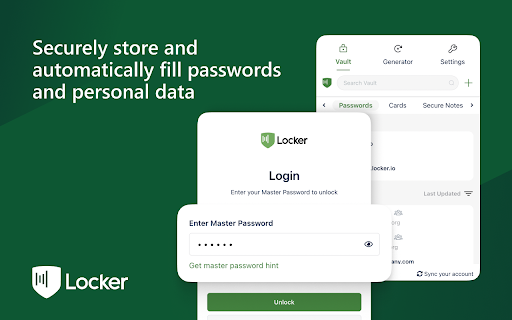
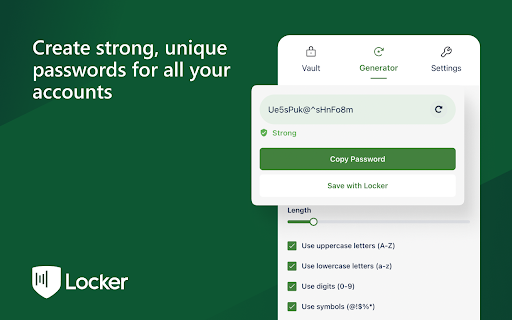
Locker is a cross-platform vault that help users secure sensitive digital assets such as logins and passwords, secret notes, payment cards, online identities, and crypto wallets. It also offers additional features to enhance browsing experience like password autofill, item sharing, and more.
Why choose Locker over other password managers?
1. Security
- Locker uses military-grade encryption to secure your data. AES-256bit encryption combined with PBKDF2 and RSA algorithm makes your data is un-crackable.
- Your vault is encrypted with a Master Password, which is the only key to decrypt your data.
2. Privacy & Transparency
- Your Master Password is only yours. No body, even us, can see your Master Password thanks to Zero-knowledge development model.
- Locker is an open-source product. Everyone can inspect its source code. We believe transparency is the key to better security.
3. Unlimited Sync
- Once you add, edit, remove items in your Locker on a device, the data will be sync-ed across all other devices*.
4. Bring Your Passwords with You
- With Offline Mode, you can use Locker anywhere, anytime, even when your phone is not connected to the internet**.
No more password hassle.
Free Your Mind. Install Locker.
*Data is encrypted before they left the current device.
**Offline Mode is only available on Locker mobile application (Android & iOS).

Reviews (3 cached)
★☆☆☆☆2025-05-22
Mr AL
After installing it, Chrome became extremely slow and laggy. The extension is buggy and causes significant lag, making browsing frustrating. I had to disable it to get Chrome working normally again.
★☆☆☆☆2024-03-16
Cole Patterson
Absolute trash! 100 maximum passwords. Thanks for wasting my time. 0/5 stars
★☆☆☆☆2023-07-20
Baraa
3.0.07 version is so bad I enter my account details then it asks for master password once I write it and unlock the app locks itself automatically and then just logged me out . The extension should be tested well before pushing an update here.
Permissions (6)
Permissions
activeTabℹ Can access the current tab when you click the extension clipboardWriteℹ Can write to your clipboard contextMenusℹ Can add items to the right-click menu storageℹ Can store data locally in your browser tabsℹ Can see your open tabs and their URLs unlimitedStorage
Details
| Version | 4.0.52 |
| Updated | Feb 25, 2026 |
| Size | 56.69MiB |
| First Seen | Mar 28, 2026 |
More by CyStack

Popular in workflow

Adobe Acrobat: PDF edit, convert, sign tools
by Adobe Inc.
331M
★ 4.40
workflow
331M
★ 4.40
workflow

Chrome Remote Desktop
by Chrome Remote Desktop Release Managers
38M
★ 3.14
workflow
38M
★ 3.14
workflow

Microsoft Single Sign On
by Microsoft
36M
★ 2.27
workflow
36M
★ 2.27
workflow

MetaMask
by metamask
13M
★ 2.68
workflow
13M
★ 2.68
workflow

Free VPN for Chrome - VPN Proxy VeePN
by www.veepn.com
12M
★ 4.51
workflow
12M
★ 4.51
workflow
Popular Extensions
Adobe Acrobat: PDF edit, convert, sign tools
by Adobe Inc.
331M
★ 4.40
workflow
331M
★ 4.40
workflow

Grammarly: AI Writing Assistant and Grammar Checker App
by Grammarly
42M
★ 4.50
communication
42M
★ 4.50
communication
Chrome Remote Desktop
by Chrome Remote Desktop Release Managers
38M
★ 3.14
workflow
38M
★ 3.14
workflow
Microsoft Single Sign On
by Microsoft
36M
★ 2.27
workflow
36M
★ 2.27
workflow

Cisco Webex Extension
by cisco.chromestore
23M
★ 2.34
social
23M
★ 2.34
social