
User Count Trend
Loading...
Description
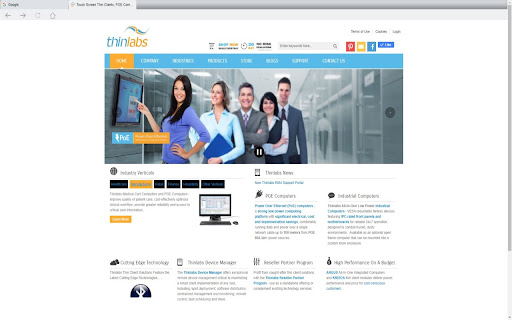
Thinlabs Kiosk extension for Chrome browsers allows a single URL or multiple URLs that are specified in the extension settings to open in a fullscreen kiosk mode. Multiple tabs are displayed on a tab bar if more than one url is specified in the extension options. The extension options page can be password protected. The same password is used to prevent the users from closing the kiosk mode browser. To start chrome in iosk mode create a shortcut with the --kiosk switch ( "C:\Program Files (x86)\Google\Chrome\Application\chrome.exe" --kiosk ) and place it in the startup folder. Disable this setting "Continue running background apps when Google Chrome is closed."
For additional information, technical support, and feature requests please contact us: https://www.thinlabs.com/content/contact-us

Reviews
Loading reviews...
Permissions (7)
Permissions
activeTabalarmsbackgroundnativeMessagingscriptingstoragetabs
Details
| Version | 1.0.46 |
| Updated | Dec 13, 2025 |
| Size | 252KiB |
| First Seen | Mar 21, 2026 |
Ad space
Popular in workflow

Microsoft Defender Browser Protection
by Microsoft Corporation
2M
★ 4.15
workflow

Pop up blocker for Chrome™ - Poper Blocker
by dingosolutions
2M
★ 4.76
workflow

Keep Awake
by extensions@chromium.org
1M
★ 4.00
workflow

Tab Resize - split screen layouts
by Peter Shin
1M
★ 4.31
workflow

eID Chrome Extension
by e-Contract.be BV
800K
★ 1.65
workflow
Popular Extensions

uBlock Origin
by Raymond Hill (gorhill)
15M
★ 4.70
privacy

DuckDuckGo Search & Tracker Protection
by DuckDuckGo
4M
★ 4.24
privacy
Microsoft Defender Browser Protection
by Microsoft Corporation
2M
★ 4.15
workflow
Pop up blocker for Chrome™ - Poper Blocker
by dingosolutions
2M
★ 4.76
workflow

WPS浏览器助手:文档在线阅读编辑
by 金山PDF
2M
★ 2.90
tools