
SA ID Generator - Apply Filters, Get Details
Chrome Web Storeby ajsun
v1.2.0.0 Updated May 2, 2022 210KiB
User Count Trend
Loading...
Description
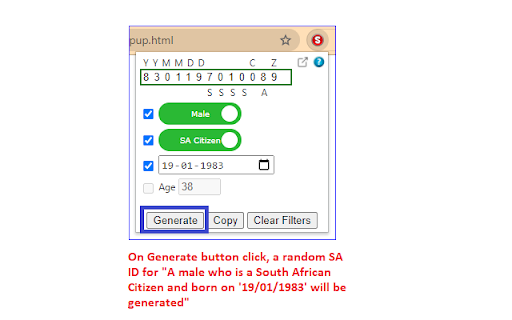
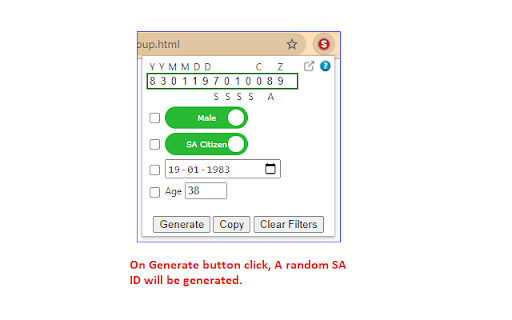
This tool can be used by developers to generate a random valid South African ID satisfying the filtering conditions, if applied.
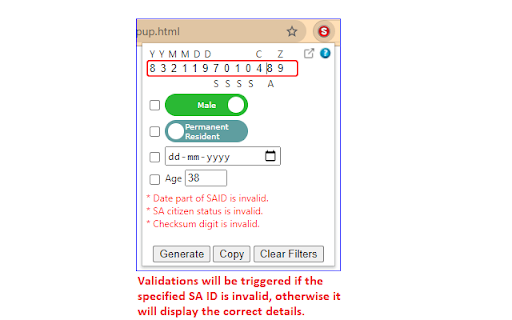
Also, one can get the details like Date of Birth, Gender, Citizenship status and Age if a valid ID is provided. If the ID is invalid, it will show the validation errors.
Valid IDs passes the checksum test using the Luhn's algorithm.
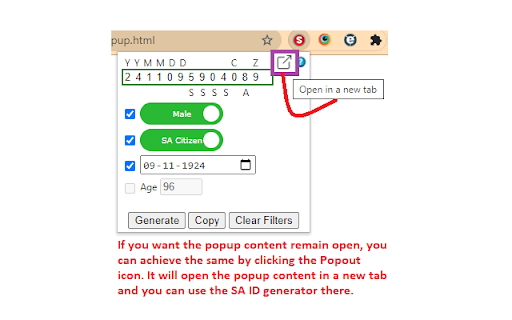
If you want the extension remain open all the time, as the popup automatically closes when focus changes, you can achieve the same by clicking the Popout icon. It will open the SA ID generator in a new tab.
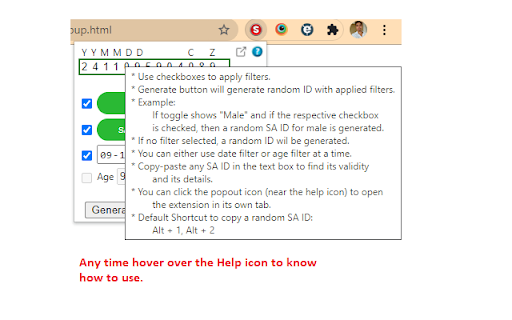
One can hover over the Help icon to know more about how to use the extension.
Keyboard Shortcut to copy a random SA ID to clipboard :
Alt + 1 (Opens the popup)
Alt + 2 (Copies the SA ID to clipboard)
Reviews
Loading reviews...
Details
| Version | 1.2.0.0 |
| Updated | May 2, 2022 |
| Size | 210KiB |
| First Seen | Mar 21, 2026 |
Ad space
Popular in developer

SEO META in 1 CLICK
by Bilal Hadri
900K
★ 4.87
developer

Octotree - GitHub code tree
by Ovity
200K
★ 4.86
developer

Omnibug
by Philip Lawrence
200K
★ 4.25
developer

WordPress Theme Detector and Plugin Detector
by themesinfo.com
90K
★ 4.15
developer

Softdreams công cụ ký điện tử
by Softdreams JSC
90K
★ 3.50
developer
Popular Extensions

uBlock Origin
by Raymond Hill (gorhill)
15M
★ 4.70
privacy

DuckDuckGo Search & Tracker Protection
by DuckDuckGo
4M
★ 4.24
privacy

Microsoft Defender Browser Protection
by Microsoft Corporation
2M
★ 4.15
workflow

Pop up blocker for Chrome™ - Poper Blocker
by dingosolutions
2M
★ 4.76
workflow

Keep Awake
by extensions@chromium.org
1M
★ 4.00
workflow