MyFotoPlaces is built around Google Drive/Photos: you can find and organize your images by the location and save event photos to PDF just in browser.
While Google Drive provides excellent service for storing your photos, MyFotoPlaces gives you new perspectives on browsing across your pictures. MyFotoPlaces enables quick navigation over your pictures using location of snapped pictures. Using saved Geotagging, MyFotoPlaces quickly finds pictures using the places where you’ve taken the fotos and shows you the location on map. It also automatically finds events where you snapped the pictures, so you can browse pictures as album.
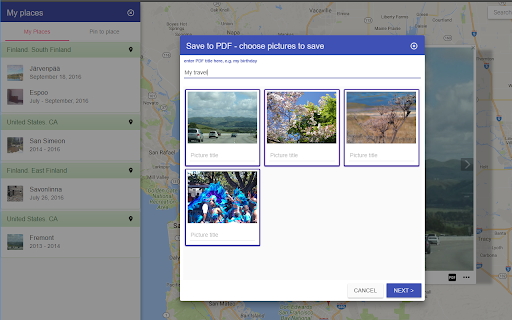
You can save your photos to PDF file to share or store. PDF save wizard allows you to give a name to event, select and describe pictures, choose template of PDF document.
MyFotoPlaces is powered by OpenStreetMap.org
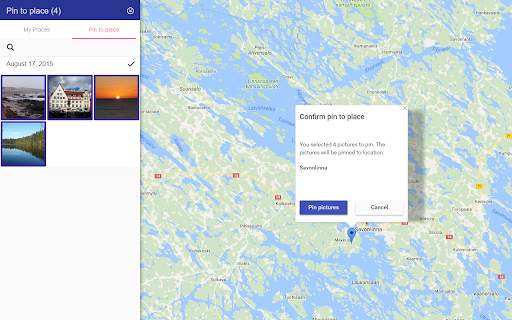
You can organize available non-Geotagged pictures by pinning photos into a place on the map. Assign a location to the pictures and find them any time on map.
Try our demo www.myfotoplaces.com/demo
MyFotoPlaces enables quick preview and full screen views of the pictures in the places. It is easy to demonstrate your holiday pictures – just click map marker to start the slideshow. “My Places” enables quick access of photos in the places. It shows you places where pictures taken or pinned, timeline. You will be amazed how many Google photos you re-discover again!
Features
- Find and group your Google Photos using saved geotagging and show pictures on the Google map
- Manage location of Google Photos by pinning pictures into a location
- Save pictures to PDF
- “My Places” panel shows the location of your pictures and provides quick navigation to the place
- Automatic events discovery: easy to find your best friend’s wedding or favorite sporting game pictures
- Zoom in the map to show more details, e.g. picture taken near to a landmark, or zoom out to see high level, e.g. pictures snapped in a town or country.
- Quick photo preview on the Google map – you can fast find interesting foto in the place
- Photo gallery view of your pictures in the selected place
- Film strip navigator for quick access across your pictures in the place
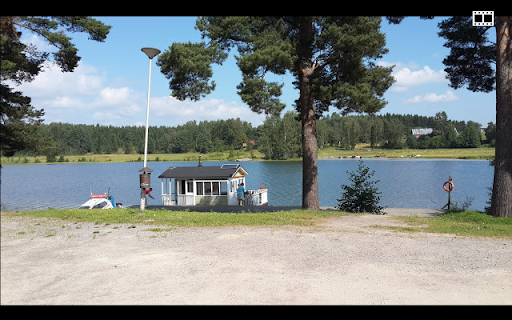
- Full screen or slideshow view of pictures: easy to view and easy to show!
- The location address of place and date when picture was snapped
- Zoom in and zoom out pictures to see its details
- Quickly share the found picture with your friends
- MyFotoPlaces is optimized for Web and Mobile Web
Try feature tour www.myfotoplaces.com/features
Frequently Asked Questions
Q: How MyFotoPlaces knows location of my pictures?
A: It uses geotagging. When you take picture a camera stores the current location inside of the image. If you disable location service you can still pin manually pictures on map.
Q: What is my camera doesn’t support Geotagging?
A: No problems! You can select and pin pictures into locations.
Q: Why should I sign up with my Google account?
A: By signing up, you authorize access to your pictures in Google Drive. The application will analyze the pictures and to show them on the map.
Q: Can MyFotoPlaces delete or corrupt my Google Drive data?
A: No. There is no way how MyFotoPlaces can delete or modify your pictures. The scope we open Google Drive connection is limited.
Q: What is accuracy of picture location on the map?
A: Pictures are grouped around an average center location. As deeper you zoom in the map as more accurate the shown location.
Q: How pictures sorted at the location
A: Quick preview and full screen gallery shows pictures sorted as newest saved to first.